10 Social Media Reporting Tools for 2026
Compare 10 social media reporting tools for solo founders, teams, and agencies, with features, pricing, pros, cons, screenshots, and buyer guidance.
The largest dashboard isn't automatically the best reporting choice. A report earns its place when it helps someone decide what to publish, pause, repeat, fund, or explain to a client. That means evaluating channel coverage, data freshness and history, customization, exports, attribution, collaboration, recurring delivery, and total cost, not counting widgets.
Social media reporting tools have also moved beyond simple follower and engagement summaries. They increasingly consolidate reach, clicks, conversions, and other platform-native metrics into structured dashboards, while stronger workflows connect those signals with site analytics and human-reviewed interpretation. That matters because 33% of marketers say assessing campaign effectiveness remains their biggest measurement challenge, even though 68% track engagement and 65% track conversions.Improvado's analysis of social media reporting
The right choice differs by buyer. A solo founder usually needs fast setup and readable decisions. An in-house team may need governance, recurring reports, and attribution. An agency needs profile management, benchmarking, exports, and client-ready delivery. This comparison covers 10 social media reporting tools, with attention to where each tool stops being sufficient.
Crowbert deserves a different category in the comparison. It's an autonomous AI agent for end-to-end social execution, not a monitoring-only analytics product. It can draft, publish, engage, reschedule, and report with human approval at the control point. For a practical framework on turning metrics into decisions, use this guide to analyzing social content.
Table of Contents
1. Crowbert
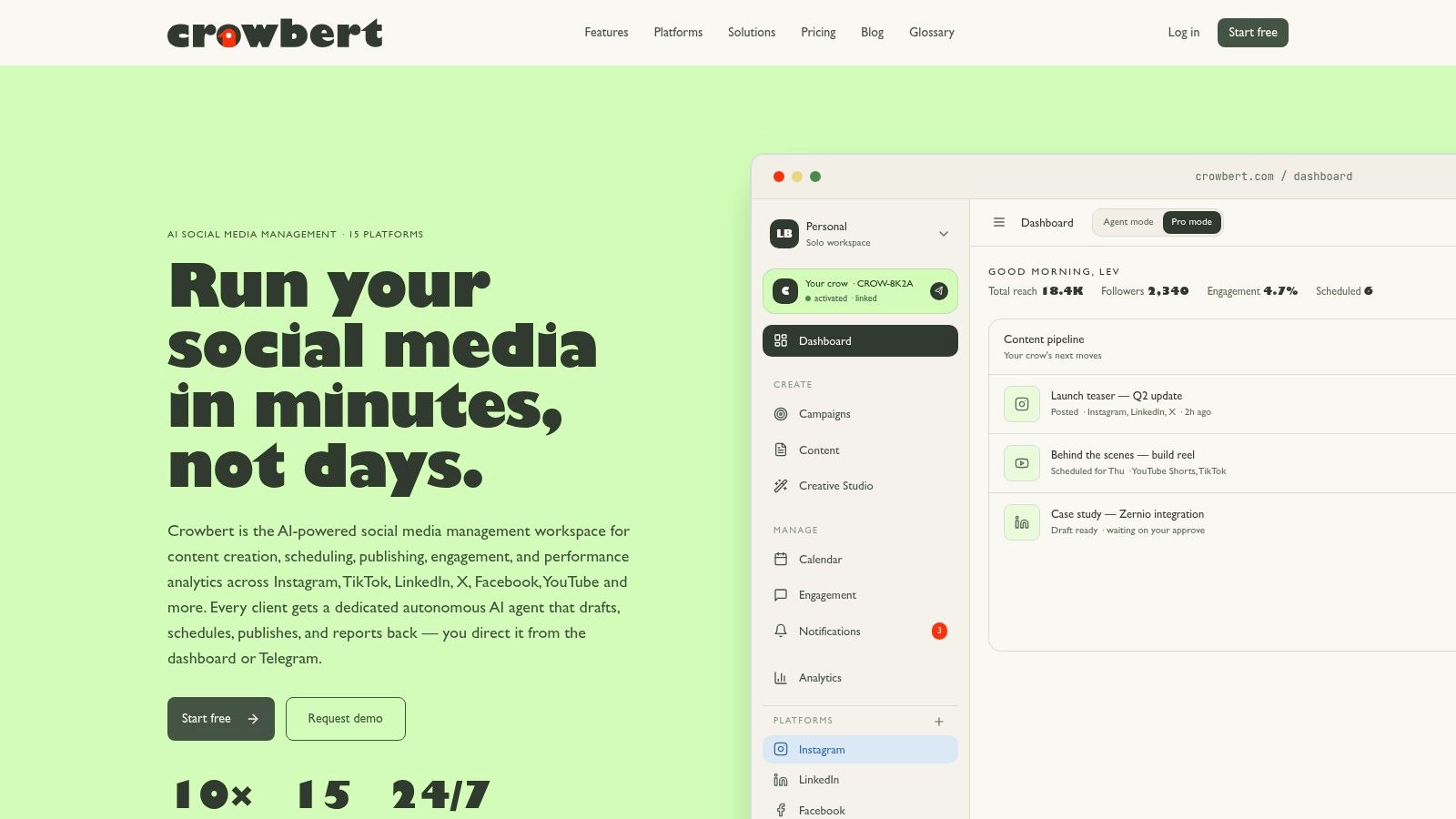
Crowbert combines reporting with the work that reporting is supposed to improve. Each paying customer gets a dedicated autonomous AI agent that learns the workspace's brand voice, remembers prior posts and preferences, and coordinates specialist agents for creative production, planning, publishing, analysis, and budget tracking. The workflow stays human-controlled because drafts and publishing actions require approval.
That distinction matters for teams that have outgrown disconnected scheduling, creative, engagement, and analytics tools. Crowbert supports 15 platforms, including Instagram, TikTok, LinkedIn, X, Facebook, YouTube, Threads, Reddit, Pinterest, Bluesky, WhatsApp, and Telegram. Its channel-aware formatting adapts captions and media to each network, while smart rescheduling and reposting can help teams act on underperforming content instead of merely recording it.
Where the workflow changes the buying decision
The reporting layer includes workspace-level performance snapshots, while the analyst agent can return performance feedback after content moves through drafting, scheduling, publishing, and engagement. That creates a shorter loop between evidence and action. The Creative Studio also produces on-brand images, short video, and copy, reducing the number of handoffs required before a report can inform the next content cycle.
A Telegram-connected agent adds a practical approval path for founders, creators, and distributed teams. You can brief the agent, review drafts, and approve work without remaining inside the dashboard. Isolated sandboxes help prevent context leakage between workspaces, which is particularly relevant to agencies handling multiple clients.
Pricing is transparent but usage-based. Starter costs 20 per month**, with **20 in monthly AI credits, one brand, creative tools, and email support. Team costs 60 per month**, includes **60 in credits, a Telegram-connected agent, autonomous campaign execution, and priority support. Agency costs 200 per month**, includes **200 in credits, maximum generation capacity, and dedicated support. AI usage is metered, and outputs still need human review for brand fit, legal issues, and sensitive content. See the Crowbert pricing options and Crowbert features before comparing plan fit.
2. Sprout Social
Sprout Social is built for teams that need formalized reporting rather than a lightweight performance snapshot. Its custom report builder uses widgets and filters, and it supports scheduled reports for recurring stakeholder delivery. Team productivity, Google Analytics and GA4 reporting, customer care reports, and optional Premium Analytics extend the platform beyond post-level engagement.
Its strongest audience is an enterprise marketing department or agency that needs executive-ready visualizations and repeatable reporting standards. A team can build a report around selected KPIs, apply filters to profiles or periods, and deliver the output without recreating it each month. That reduces presentation work, though it doesn't remove the need to define a measurement model before connecting accounts.
Reporting depth and limits
The platform is a strong choice when stakeholders expect polished reports, multi-profile rollups, and a mature export workflow. It can also support teams that need analytics alongside customer care and broader social operations. The trade-off is structural. Pricing is tiered per user, and add-ons such as Premium Analytics can increase the total cost.
Very small teams focused on reach, engagement, and follower movement may find the system heavier than necessary. If your key question is how to measure social media success, the platform can provide the reporting machinery, but your team still has to connect those metrics to business outcomes and decide what action follows.
Website: Sprout Social
3. Hootsuite
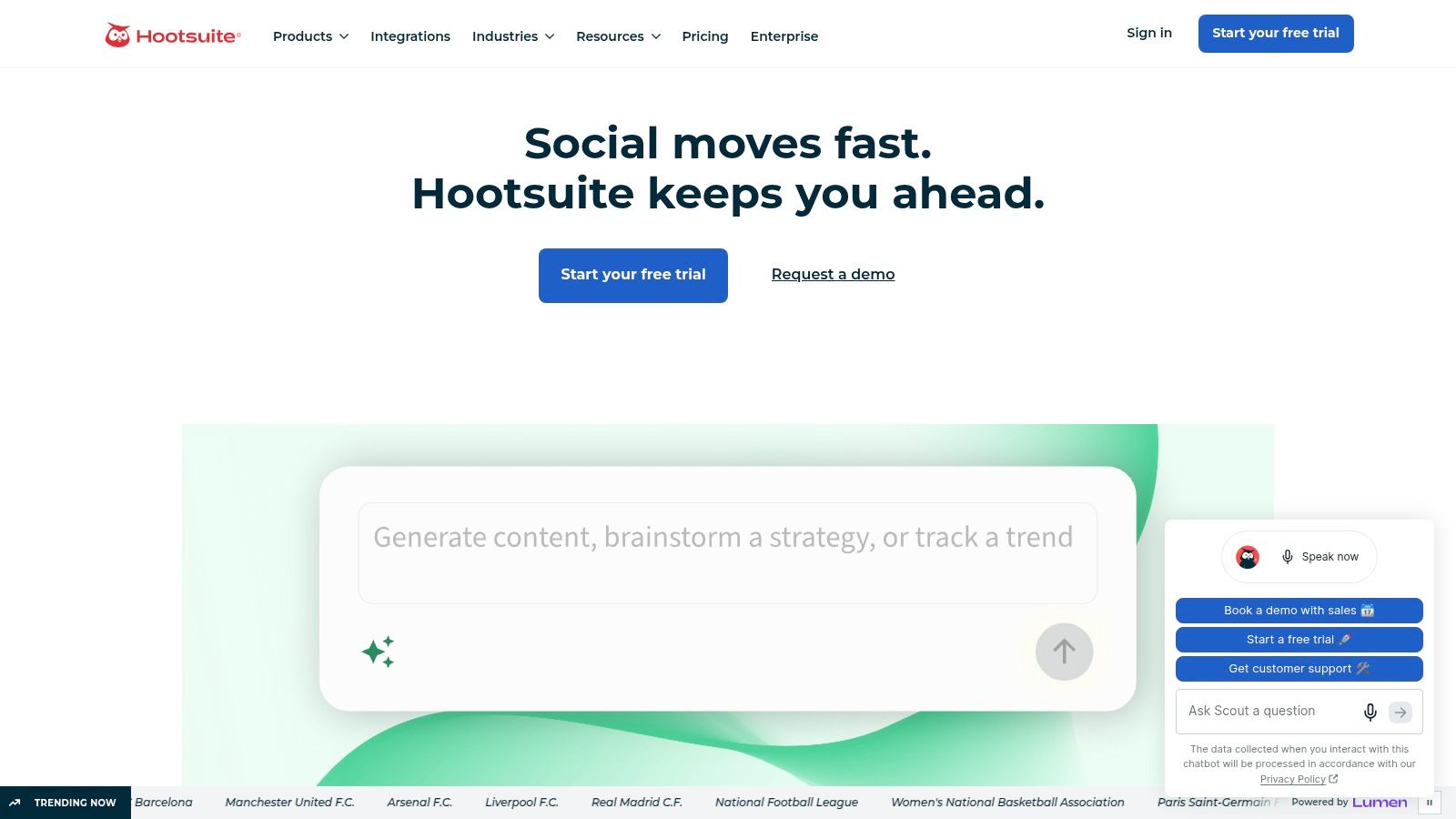
Hootsuite remains a broad social management platform with a modern analytics suite that supports both templated and fully custom reports. It can combine organic and paid analytics across major networks, schedule exports, and provide competitor benchmarking on higher tiers. That breadth makes it suitable for organizations that need one reporting environment across publishing and paid activity.
The main advantage is flexibility across team sizes. An SMB can start with templates and a relatively structured workflow, while a larger organization can move toward custom reports and benchmarking. Export options also matter for teams that need to move data into client presentations or internal reporting packs.
The plan boundary matters
Hootsuite's analytics depth varies by plan. Advanced reporting and competitor benchmarking can require higher tiers, so the initial subscription level may not represent the complete workflow a buyer has in mind. Confirm profile limits, export formats, paid channel coverage, user permissions, and historical data before committing.
The tool is more useful when reporting and scheduling belong to the same operational system. It's less compelling for a team that wants autonomous execution, because analytics can identify a trend without independently coordinating content production, approval, publishing, and follow-up.
Website: Hootsuite
4. Agorapulse
Agorapulse is a strong fit for agencies and client-service teams that need reports delivered on a schedule. Its reporting toolkit includes automated PDFs, ROI and UTM roll-ups, ads reporting, label reports, and competitor benchmarking. White-label reporting on higher tiers adds value when the report needs to look like an agency deliverable rather than an exported platform screen.
The platform's clearest strength is presentation and repeatability. A team can organize reports around tracked links, campaign labels, and client-facing summaries, then automate delivery. That creates a cleaner connection between campaign structure and reporting, provided the agency uses consistent UTM conventions and labels from the beginning.
Where it stops being enough
Some report types aren't available for every profile, and the per-user model can become expensive as teams grow. API availability also affects which metrics can be included, so buyers should test the exact networks and profile types they manage rather than assuming every dashboard supports the same fields.
Agorapulse is primarily a management and reporting environment. It can show whether labeled content and tracked links performed, but it doesn't replace a broader decision process for creative production and autonomous execution. Teams still need to interpret the report and coordinate the next action. That distinction is useful when separating social media monitoring from active execution.
Website: Agorapulse
5. Buffer
Buffer keeps the reporting experience relatively accessible for creators, solo founders, and small teams. Its analytics suite provides cross-platform performance dashboards and post analytics, while paid plans add report scheduling and export. Per-channel pricing lets a buyer add or remove profiles rather than committing to a large enterprise structure.
That model works when the reporting question is straightforward. You can review content performance across connected channels, identify posts worth repeating, and maintain a basic recurring report without a long implementation project. The interface is easier to learn than a deep enterprise analytics system, which lowers the cost of adoption for a small team.
The scaling trade-off
Per-channel pricing is predictable when the account set is small. It can become less attractive as a business adds profiles, brands, or networks. Buffer also lacks the deep customization and stakeholder controls found in larger reporting suites, so a team may eventually need spreadsheets, business intelligence tools, or another reporting layer.
Buffer's analytics can support performance reporting, but the tool remains centered on scheduling and measurement rather than autonomous content operations. It won't independently coordinate creative generation, multi-channel adaptation, engagement, and approved rescheduling in the way an agent-centered workspace can.
Website: Buffer
6. Metricool
Metricool puts reporting close to the center of the product. Its reporting hub supports automated reports, campaign dashboards, exports in PDF and PPT formats, and a Looker Studio connector. Metricool Studio and optional Advanced Analytics add further depth for freelancers, SMBs, and agencies that need client-ready reporting without adopting a heavier enterprise suite.
The platform is particularly useful when a team wants to combine organic and advertising insights in one reporting workflow. Competitive analysis also helps users move past isolated post performance. The Looker Studio connection is valuable for buyers that want to build custom business intelligence views rather than rely only on native dashboard layouts.
Value depends on the reporting model
Metricool offers a good balance between automation, exports, and price-sensitive implementation. Its weakness is not the reporting layer itself, but the lighter collaboration and workflow depth compared with top enterprise suites. Advanced analytics may also require an add-on, which changes the practical cost of the system.
Choose it when reports are the central deliverable and the team can manage content operations elsewhere or through a simpler workflow. Don't choose it solely because a dashboard looks complete. Verify whether the required metrics, historical period, paid data, account types, and client permissions are included in the plan you'll use.
Website: Metricool
7. Iconosquare
Iconosquare is a specialist analytics and reporting product with particular strength in Instagram and TikTok. It also covers Facebook, LinkedIn, X, Pinterest, Threads, and YouTube, and provides detailed post, story, and profile analytics. Scheduled email reports and exportable formats make it practical for agencies that need to hand clients a focused channel analysis.
The specialist orientation is the advantage. A brand that depends heavily on visual content can examine channel-specific patterns more closely than it might in a generalist dashboard. Promoted and boosted post analytics are available where supported, and higher tiers add collaboration and campaign analytics.
Focused depth, narrower operations
Iconosquare is better at explaining what happened inside a channel than at running the entire social operation. Scheduling and engagement features are lighter than those in full-suite platforms, and historical depth depends on when profiles were connected. That makes onboarding timing important. A report can't reconstruct every past metric if the platform or API didn't provide it before connection.
Teams should also compare audience analysis needs with channel depth. For a structured approach to audience insights, the tool can provide useful evidence, but the next step still requires a content or scheduling workflow. It's a reporting choice for buyers who value channel detail more than autonomous execution.
Website: Iconosquare
8. Rival IQ
Rival IQ is designed around competitive intelligence. It tracks competitor performance, provides benchmarking across major networks, sends automated alerts, and supports scheduled reports, exports, and a Google Looker Studio connector. Its documented engagement metric definitions are useful for teams that need to explain how comparisons were calculated.
This makes Rival IQ a strong choice for brands and agencies that regularly answer questions such as, “Are we outperforming comparable accounts?” or “Which content patterns are common among stronger competitors?” The alerts can shorten the time between a competitor change and an internal response, while presentation-ready reports make the findings easier to share.
Benchmarking is a use case, not a default
Rival IQ's value falls when competitor comparison is occasional rather than central. It focuses more on analytics and benchmarking than on publishing and engagement, so buyers looking for an end-to-end social workspace will need additional operational tools.
The methodology transparency is a meaningful advantage because competitor data often isn't perfectly comparable across networks. Still, buyers should establish which metrics are available for each network and how platform privacy restrictions affect the comparison. A benchmark can support a decision, but it shouldn't be treated as a complete attribution model.
Website: Rival IQ
9. Socialinsider
Socialinsider combines cross-channel analytics, competitive benchmarking, and branded reporting. It can cover organic and paid data where APIs allow, provide shareable report links and exports, and use a pricing calculator based on profiles and workspaces. That profile-based structure suits agencies that manage multiple brands and need a plan shaped around account volume.
The product's strongest reporting use case is comparative. Agencies can assemble views for a client, compare content performance with competitors, and create executive-friendly reports without building every analysis manually. Flexible plan sizing is also more practical than a fixed package when client portfolios change.
Audit historical data before purchase
Socialinsider's principal limitation is tied to API constraints. Follower history and some metrics accrue from the point at which profiles are added, so buyers shouldn't assume that connecting an account creates a complete historical record. Confirm the exact retention and backfill behavior for every network that matters.
The ecosystem is also smaller than that of larger all-in-one suites. Socialinsider is best when competitive reporting is the primary requirement, not when the buyer wants built-in creative production, publishing, engagement, and approval orchestration. It can tell an agency what deserves attention, but the agency still needs a system to execute the response.
Website: Socialinsider
10. Later
Later combines creator-friendly scheduling with cross-platform analytics, filters, shareable reports, and AI-assisted content ideation and captioning. Higher plans provide data retention of up to two years, while AI assistance uses metered credits. The product suits creators and small teams that want a fast workflow with more reporting depth than a basic scheduler.
Its interface offers quick time-to-value. A small team can manage a few channels, filter content and account metrics, and share a report without designing an elaborate analytics architecture. The scheduling connection also helps users move from performance review to a revised content calendar.
The ceiling is stakeholder complexity
Later's advanced analytics are tied to higher tiers, and its reporting depth is below that of enterprise-focused platforms. That isn't a defect for a creator managing a limited channel set. It becomes a constraint when stakeholders require custom attribution, complex profile rollups, paid and organic reconciliation, or formal governance.
Later's AI features assist with ideation and captions, but assistance isn't the same as autonomous execution. A team looking for a social media scheduler for small business should decide whether scheduling is enough or whether it needs an agent that can coordinate production, publishing, engagement, and reporting under approval controls.
Website: Later
Top 10 Social Media Reporting Tools Comparison
| Product | Core features | UX & analytics | Value / pricing | Target audience | Unique selling points |
|---|---|---|---|---|---|
| Crowbert (Recommended) | Dedicated autonomous AI agent, Creative Studio, content calendar, publish to 15 channels, Telegram-connected agent | Workspace snapshots, channel-aware formatting, smart rescheduling, human-in-the-loop approvals | Starter 20/mo (20 AI credits), Team 60/mo, Agency 200/mo; metered AI credits, better AI rates on higher tiers | Solo founders, in-house teams, agencies, creators, startups | Per-workspace sandboxed AI, parliament of sub-agents, end-to-end autonomous execution, Telegram briefs |
| Sprout Social | Custom report builder, team productivity, GA4 integration | Executive-ready dashboards, templated reports, scheduled exports | Tiered per-user + add-ons (Premium Analytics), higher total cost | Brands, agencies, enterprises needing deep reporting | Advanced stakeholder-ready visualizations and report automation |
| Hootsuite | Scheduling, organic & paid analytics, custom reports, benchmarking | Template/custom reports, export formats, scalable workflows | Tiered plans per user; advanced analytics on higher tiers | SMBs to enterprises needing broad channel coverage | Broad channel support, ad analytics, enterprise-grade automation |
| Agorapulse | Scheduling, automated PDFs, ROI/UTM roll-ups, ads reports, white‑label | Client-ready report layouts, scheduled exports, good automation | Per-user pricing; white-label and advanced reports on higher tiers | Agencies and teams delivering client reports | White-label PDFs, ROI tracking, client-focused report automation |
| Buffer | Simple scheduler, cross-platform dashboards, per-channel pricing | Easy-to-learn interface, baseline analytics, report exports on paid plans | Budget-friendly for few channels, per-channel pricing can scale | Creators, solo founders, small teams | Simplicity and predictable costs for small setups |
| Metricool | Reporting hub, dashboards, automated reports, Looker Studio connector | Strong automation, PDF/PPT exports, campaign dashboards | Good price-to-reporting value; add-on for Advanced Analytics | Freelancers, SMBs, agencies needing automated client reports | Looker Studio connector, robust automated reporting |
| Iconosquare | Deep Instagram & TikTok analytics, story/post/profile metrics | Detailed channel-specific insights, scheduled exports | Specialist pricing; features focused on social platforms | Brands/agencies focused on Instagram/TikTok performance | Best-in-class IG/TikTok reporting and exports |
| Rival IQ | Competitive benchmarking, alerts, report exports, Looker Studio connector | Benchmarking dashboards, transparent metric definitions, alerts | Niche-priced for benchmarking use cases | Brands/agencies prioritizing competitor analysis | Best-in-class competitor tracking and transparent methodology |
| Socialinsider | Cross-network analytics, competitor/content benchmarking, shareable reports | Executive-friendly, shareable reports, flexible plan sizing | Volume-based pricing calculator for profiles/workspaces | Agencies managing many brands and comparative reports | Flexible sizing, strong competitive and comparative views |
| Later | Scheduler, cross-platform analytics, AI ideation & captioning, extended data retention | Clean creator-friendly UI, shareable filtered reports; advanced analytics on higher tiers | Tiered plans with metered AI credits, longer data retention on higher tiers | Creators, influencers, small teams | Creator-focused UX, AI-assisted content ideation and captions |
Choose the Reporting Workflow You Will Actually Use
A buyer should start with the workflow, not the dashboard. List the networks you manage, then identify whether the tool supports the required account types, organic and paid data, historical depth, and API fields. A report that looks polished but omits the conversion event or profile history you need isn't a complete reporting system.
Attribution deserves separate attention. Platform metrics can show reach, engagement, clicks, and follower movement, but business impact often requires site analytics, UTM discipline, CRM context, and human interpretation. Privacy changes also make benchmarking harder because organic reach and competitor-level details are increasingly restricted.Improvado's reporting analysis frames the practical issue correctly: teams need a defensible view of what worked, what failed, and what to change despite incomplete data.
Buyer checklist
- Network coverage: Confirm every required platform and account type, not just the networks shown on the homepage.
- Data history: Ask whether historical data is backfilled or begins when a profile connects.
- Organic and paid separation: Verify whether both data types are included and whether the reports distinguish them clearly.
- Custom metrics: Check whether the tool supports the KPIs your stakeholders use.
- Attribution and UTMs: Confirm tracked-link support, UTM roll-ups, site analytics integrations, and conversion definitions.
- Exports and delivery: Review PDF, presentation, spreadsheet, dashboard, scheduled email, and shareable-link options.
- White-label reporting: Agencies should verify branding controls and client permissions before buying.
- Seats and profiles: Per-user or per-channel pricing can change the cost as the team grows.
- Add-ons: Premium analytics, advanced benchmarking, and extra accounts may sit outside the base plan.
- API constraints: Test the exact metrics available for each network and profile type.
- Data ownership: Confirm export access, retention rules, and what happens when a subscription ends.
- Approval workflows: Decide whether the product only reports performance or also helps produce and publish the next action.
- Maintenance time: Estimate the recurring work required to clean data, update templates, review reports, and explain anomalies.
The market contains plenty of choice. G2 lists 344 products in its social media analytics category, with an average user rating of 4.39 out of 5.G2's social media analytics category That breadth means buyers should narrow the decision by operational fit rather than by feature count.
For solo founders, Buffer or Later can be sensible when the priority is a simple schedule and baseline reporting. Crowbert is the stronger fit when the founder also needs content generation, channel-aware publishing, engagement support, and approved autonomous execution in one workspace. Its features and pricing pages provide the clearest route to testing that workflow.
In-house teams should prioritize governance, attribution, recurring delivery, and the time required to maintain reports. Sprout Social, Hootsuite, Agorapulse, or Metricool may fit teams that need mature reporting structures, while Crowbert is better suited to teams that want reporting connected directly to production and publishing decisions.
Agencies should verify white-label output, profile and workspace economics, client separation, historical data, and approval controls. Specialist tools such as Rival IQ, Socialinsider, and Iconosquare can be valuable for benchmarking or channel depth. Agencies seeking execution as well as reporting should review Crowbert's agency solution, then compare workflow fit through Crowbert alternatives, Crowbert versus Hootsuite, Crowbert versus Buffer, and alternatives to Sprout Social.
The social media analytics market's projected expansion reinforces the operational point. One estimate values the market at USD 10,229.8 million in 2024 and projects USD 43,246.7 million by 2030, implying a 27.2% CAGR from 2025 to 2030.Grand View Research's social media analytics market estimate Another estimate places it at USD 4.8 billion in 2023 and projects growth to more than USD 14.6 billion by 2028, with a 24.9% CAGR.Swydo's social media reporting tools guide The differing estimates are less important than the shared direction. Reporting has become a core operating capability, and the best system is the one your team can use to make and approve the next decision.
Frequently Asked Questions
Which social media reporting tool fits a solo founder?
Buffer and Later fit solo founders who need straightforward scheduling and baseline analytics with limited implementation burden. Crowbert fits a founder who wants the reporting loop connected to content creation, publishing, engagement, and approved autonomous execution. The deciding question is whether you need a report alone or a system that acts on the report.
What should agencies verify before buying?
Agencies should verify white-label delivery, profile and workspace limits, historical data, API coverage, client permissions, export formats, recurring report scheduling, and account isolation. They should also test whether tracked links and UTM roll-ups match their client reporting model. A low initial price can become less attractive if each additional user, profile, report type, or analytics add-on costs extra.
Does reporting depth require an enterprise plan?
Not always. Metricool, Iconosquare, Rival IQ, and Socialinsider can provide focused depth for specific use cases, while Buffer and Later cover simpler needs. Enterprise plans become more relevant when a team needs complex permissions, multi-profile rollups, advanced segmentation, paid and organic reconciliation, white-label delivery, or extensive custom reporting.
How does AI execution differ from monitoring-only analytics?
Monitoring-only analytics collects and organizes performance data for a person to interpret. An autonomous workflow can use that context to draft content, adapt it by channel, schedule or reschedule it, manage engagement, and return a report, while keeping publishing behind explicit human approval. Crowbert is positioned in the second category, so the buying decision includes execution capacity as well as dashboard depth.
Crowbert combines cross-channel reporting with an autonomous AI agent that can create, schedule, publish, engage, and recommend next actions under human approval. If your current reports identify problems but leave your team to coordinate every response manually, visit Crowbert to evaluate a workflow that connects measurement with execution.
About the Author
The team behind Crowbert building AI-powered marketing tools that help businesses of all sizes create professional campaigns, manage social presence, and drive real results.