Content Calendar for Social Media: Build It Right in 2026
Build a content calendar for social media that actually ships. Covers cadence, channel-aware timing, approval workflows, templates, and how to run it end
You've blocked out a month of posts, assigned owners, and filled the calendar with polished ideas. Then a product update changes the priority, a designer misses an asset deadline, and the posts publish at times chosen for team convenience rather than audience attention. By the end of the month, the calendar looks complete, but nobody can explain which decisions improved reach, clicks, or conversions.
A useful content calendar for social media isn't a color-coded inventory. It's a timing system that connects business priorities, platform behavior, audience time zones, production capacity, approval, and measurement. The strongest calendars create structure without pretending that audience behavior will stay fixed.
Table of Contents
Why Most Content Calendars Underperform
The most common failure is treating the calendar as the deliverable. Teams fill every cell, congratulate themselves on coverage, and move on. The schedule may contain dates, captions, and creative assets, but it often lacks a clear answer to four operational questions: why this post exists, why it runs on this channel, why it runs at this time, and what happens after publication.
That gap changes how work gets prioritized. A sales announcement competes with a customer education post because both occupy identical calendar cells. A timely response gets forced into the nearest empty slot. A post moves after a review meeting, but the reason disappears inside a chat thread. The calendar records what shipped, not the decision-making system behind it.
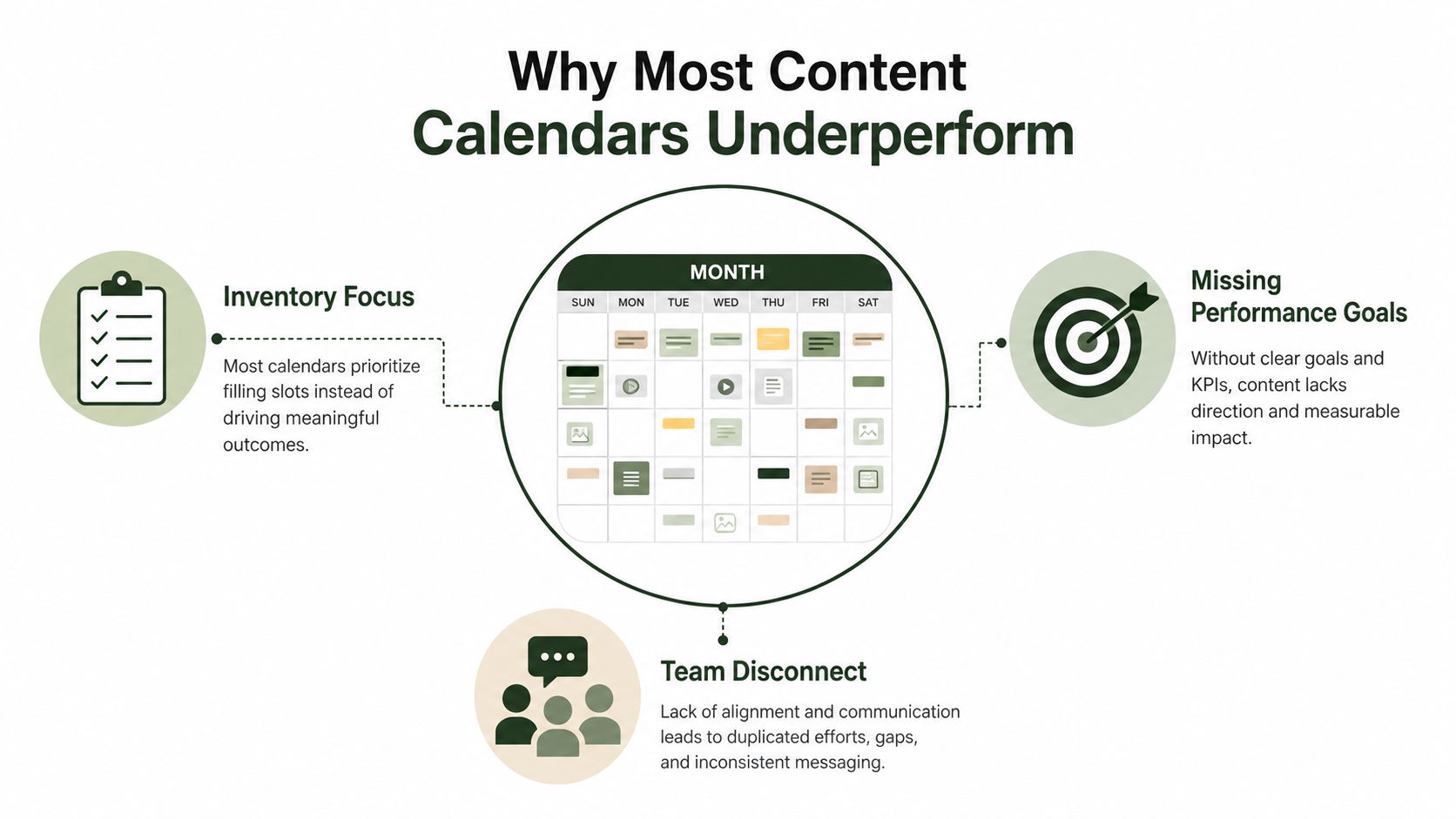
The inventory trap
A full grid can create false confidence. Publishing more often isn't automatically better if the team has weakened the creative, duplicated the same message across channels, or skipped the review needed to catch broken links and unclear calls to action.
The practical fix is to define an objective for every entry. Use labels such as awareness, engagement, traffic, lead generation, customer education, or retention. Then attach one primary measurement to the post. A traffic post needs tracked clicks and destination quality. A conversation post needs meaningful replies, not only reactions.
Timing is part of the brief
A 2018 academic paper, Scheduling Content on Social Media: Theory, Evidence, and Application, helped formalize the idea that timing affects performance. The American Marketing Association summary of the scheduling evidence reports that morning posts produced an 8.8% increase in link clicks versus afternoon posts and an 11.1% increase versus evening posts. Scheduling, therefore, isn't just an administrative convenience. It can be a performance lever.
Keep the planning window short enough to absorb change. Give timely content a reserved place instead of pretending every slot deserves permanent protection. A clear content approval process also keeps ownership and decisions visible, so the team can improve the system rather than repeatedly debate isolated posts.
What a Strong Social Media Calendar Actually Contains
Before anyone writes a caption, establish the rules that make the calendar usable. Decide which channels are active, who owns each stage, how approvals work, where the source data lives, and how far ahead the team plans. A rolling 2 to 4 week horizon is often more practical than completing a rigid annual or monthly grid because it provides production structure while leaving room for customer questions, news, and timely creative, as described in recent social planning guidance.
A strong template captures decisions, not decoration. The minimum useful fields include the publish date, local time zone, channel, campaign or business goal, format, hook, caption, creative asset, destination link, owner, approval status, and post-publish measurement. Add organic or paid placement, audience segment, UTM parameters, accessibility requirements, and the source post for repurposing when those fields affect execution.
Build for auditability
The calendar should let another person understand what was approved without searching email, project management comments, or messaging threads. Standardize the fields that apply everywhere, then add channel-specific requirements such as alt text, character limits, cover-frame selection, or thumbnail copy.
A lean template beats a detailed one that nobody maintains. If a column has no owner or doesn't influence a decision, remove it. The following structure covers the information many teams need without turning planning into data entry.
| Planning field | Why it matters | Example |
|---|---|---|
| Publish date, time, and time zone | Prevents ambiguity for distributed audiences and teams | Wednesday, 11:00 a.m., audience local time |
| Channel | Determines formatting, audience context, and publishing route | |
| Goal | Connects the post to a business outcome | Qualified website traffic |
| Format | Sets the production requirement | Short video |
| Hook and caption | Gives reviewers a clear editorial object | Problem, proof, next step |
| Creative asset | Keeps the approved file tied to the post | Final video file |
| Destination and UTM parameters | Makes traffic and conversion paths traceable | Product page with campaign tags |
| Owner and approval status | Shows who acts next and whether publication is authorized | Writer, editor, approved |
| Measurement | Defines the post-publish review | Clicks and qualified sessions |
| Accessibility requirements | Reduces avoidable barriers to consumption | Alt text and captions |
Themes should support the business without forcing every post into the same shape. A practical content pillars framework can help teams assign recurring subjects, but each entry still needs a specific audience action and channel fit.
Channel-Aware Timing and Why Universal Schedules Fail
A universal schedule looks efficient because it reduces decisions. It also ignores differences in content lifespan, discovery, user intent, format, and audience routine. Benchmark data from SocialBee's analysis of 9,360,007 posts found that 46.1% of posts were published from Tuesday through Thursday, with Wednesday slightly ahead and 3:00 PM the most common posting time. Separate benchmark reporting identifies Tuesday through Thursday from 9 a.m. to 1 p.m. as a strong broad window, while weekend evenings from 9 p.m. to midnight can perform well for lifestyle scrolling on Instagram, Facebook, and YouTube.
Those figures describe clustered market behavior, not a guarantee for your audience. They're useful starting hypotheses. They also show why copying the same timestamp across every account can create crowded publishing periods without improving channel fit.
Test windows by network
Sprout Social's 2026 analysis places the overall strongest window on Tuesdays and Wednesdays between 11 a.m. and 6 p.m. local time. The analysis supports a calendar rule that varies by audience and platform rather than treating one global timestamp as universal.
| Platform | Typical test window | Planning consideration |
|---|---|---|
| Weekday mornings through midday | Use the weekday window as a starting point, then separate community updates from promotional posts | |
| Weekday morning and evening tests | Match the slot to the format, with Reels, carousels, and Stories serving different jobs | |
| Midweek daytime tests | Give professional posts time to collect early responses and conversation | |
| TikTok | Evening tests and weekend morning tests | Prioritize production consistency and native short-video behavior |
| YouTube | Upload-time testing plus first-day review | Track early response while recognizing that discovery can continue after upload |
Platform timing guidance lists different windows by network, including Facebook at 8 a.m. to 12 p.m. on weekdays, Instagram at 9 a.m. and 6 p.m. on weekdays, LinkedIn at 3 p.m. to 6 p.m. Wednesday through Sunday, and TikTok at 6 p.m. to 11 p.m. daily plus weekend mornings. Use these as test inputs, not fixed promises.
LinkedIn may suit professional browsing periods, but the format still matters. Instagram can use Stories for frequent, lower-lift touchpoints while reserving stronger production for feed posts. TikTok discovery may travel beyond a narrow publishing slot, yet consistency in short-video production remains demanding. X needs active participation alongside scheduled posts. YouTube Shorts can travel beyond upload time, though early response still matters for distribution.
Record reach, watch time, engagement quality, clicks, and conversions by audience segment and time zone. Likes alone won't tell you whether a calendar is doing useful work. For a deeper channel-specific test, use Crowbert's guide to when to post on TikTok.
Setting Cadence by Platform Without Burning Out
Cadence should follow the format and the team's ability to produce it, not a vanity target such as posting every day everywhere. A useful starting envelope from social media calendar cadence guidance recommends Instagram at 3 to 5 posts per week, TikTok at 2 to 5, LinkedIn at 2 to 5, Facebook at 1 to 2 posts per day, X at 3 to 4 posts per day, Pinterest at 15 to 25 pins per day, and YouTube at about 1 video per week.
Those ranges are broad because channels have different production costs. Buffer's 2026 guidance reports that Instagram posting at 3 to 5 times weekly can lift follower growth rates to more than double the rate associated with posting once or twice weekly, while reach per post rises by about 12%. The same guidance uses 95% publishing consistency as a success benchmark, which makes reliability more useful than an ambitious schedule the team repeatedly misses.
| Platform | Posts per week | Primary format | Why this cadence |
|---|---|---|---|
| 3 to 5 | Reels, carousels, Stories | Supports consistent presence while leaving production time for stronger visual work | |
| TikTok | 2 to 5 | Short video | Balances discovery opportunities with scripting, filming, and editing capacity |
| 2 to 5 | Text, document, carousel, video | Keeps expertise visible without turning every weekday into a sales post | |
| 7 to 14 | Feed posts, video, community updates | Reflects the cited daily benchmark while requiring channel-specific moderation | |
| X | 21 to 28 | Short posts and replies | Treats scheduled publishing as part of broader active participation |
| 105 to 175 | Pins | Requires a repeatable asset system rather than manually designing every item | |
| YouTube | About 1 | Long-form video | Gives the team time to produce, publish, and review substantial video |
Don't force daily LinkedIn publishing if the team has only one strong insight each week. Repeating thin opinions can dilute authority faster than a measured cadence. The same idea can often support content repurposing, but each adaptation still needs native framing.
Set a sustainability limit: total weekly output across all channels shouldn't exceed what the responsible person or small team can realistically draft, design, and approve in two working days. If it does, narrow the channel mix, reduce formats, or use an AI workflow for production support while keeping human approval.
Building a Month in Practice
A monthly calendar works best as a set of short operating cycles, not a promise that every date is immutable. Start with business priorities, campaigns, product moments, customer questions, and known deadlines. Assign two or three themes per week, then decide which themes deserve recurring treatment and which belong to a single campaign.
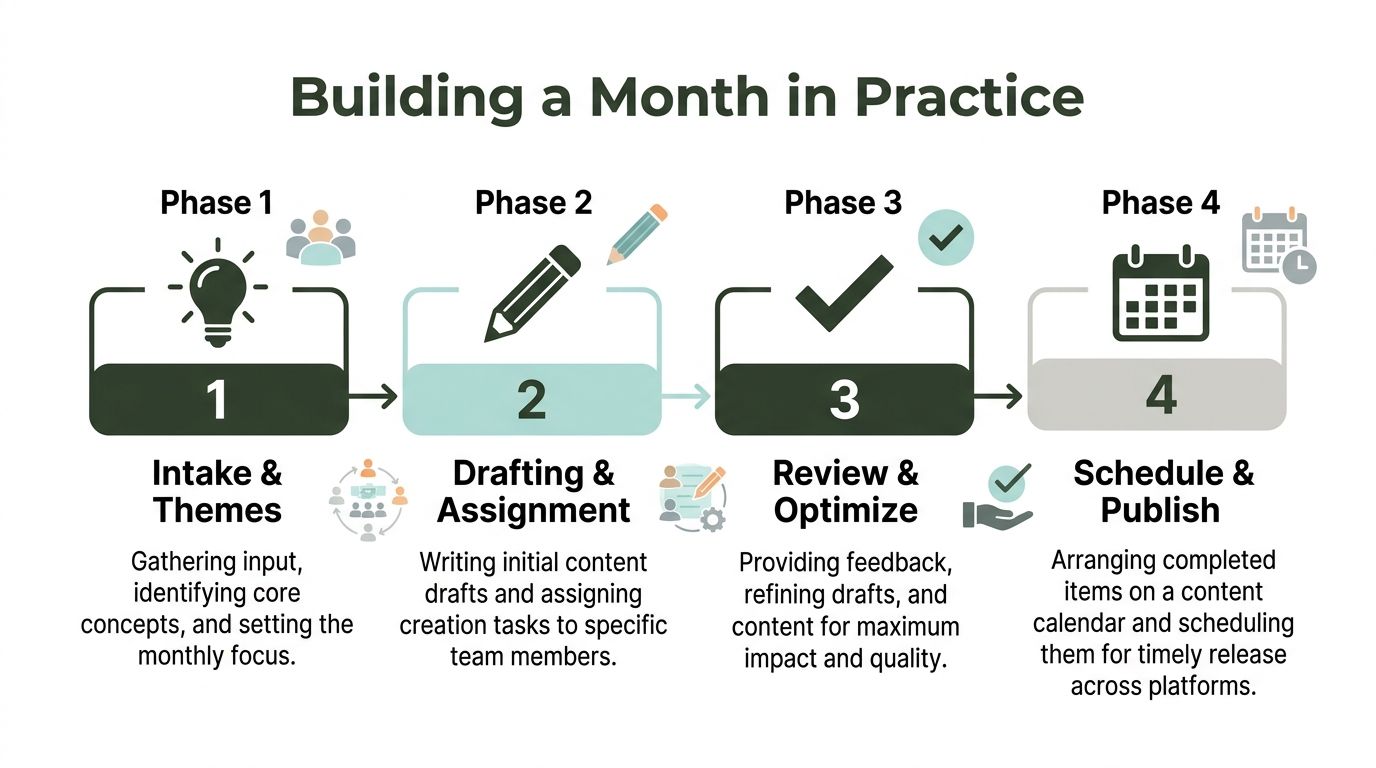
Phase one covers intake and themes
Collect inputs in one workspace. A product launch, customer objection, hiring need, or seasonal event should enter the same intake process. Assign a business goal to each theme before choosing a format. This prevents the calendar from filling with disconnected ideas that are individually attractive but collectively unfocused.
Phase two maps themes to slots
Use the platform cadence as an envelope, then place the highest-priority posts in the audience windows you're testing. Leave 20% of slots open for reactive or trending content. An open slot isn't wasted capacity. It protects the calendar from becoming a liability when the market, customer conversation, or company priority changes.
Phase three handles drafting and review
Every brief should identify the hook, caption direction, asset, hashtags where relevant, destination, and call to action. Use a two-step approval workflow: the writer submits a draft, an editor checks clarity and channel fit, and the final approver authorizes publication. Status should move inside the calendar, not through scattered messages.
The best content calendar template should make those handoffs visible. Reviewers need to know whether they're checking strategy, copy, design, legal risk, or final QA.
Phase four publishes and verifies
The scheduler receives approved posts, and a final QA check happens the day before publication. Verify the link, UTM parameters, alt text, video captions, thumbnail or cover frame, account, date, time zone, and approval state.
The workflow becomes more reliable when the calendar stores the final approved asset and the reason for any reschedule. That history gives the next review cycle evidence instead of guesswork.
Reviewing, Rescheduling, and Rotating What You Publish
A calendar becomes useful when it can change without losing control. Rigid monthly grids create inertia. Teams keep weak posts because the asset is finished, publish a timely message too late because the slot is occupied, and repeat a format even after the audience has stopped responding to it.
Use a 14-day rolling review cadence. Every two weeks, pull post-level engagement, reach, and click data, then classify each item as hold, rotate, retire, or repurpose. The classification is more useful than a vague note that the post “did well” because it creates an action for the next planning round.
Use explicit decision rules
- Hold: Keep the theme and format when the post supports its objective and fits the audience response.
- Rotate: Preserve the idea but change the format, such as converting a carousel into a short video.
- Retire: Remove a low-value post when the message is stale, unclear, or repeatedly fails to support the stated goal.
- Repurpose: Adapt a strong idea for another channel without copying the caption or creative unchanged.
A high-performing post can be considered for reposting after 30 days, provided the subject remains relevant and the new placement doesn't crowd out a stronger priority. A low performer can move into a weaker slot for another test only when the team has changed the hook, format, audience, or call to action. Repeating the same asset at a different time isn't a meaningful experiment.
Review by channel and format, not only by total output. Reach can show distribution, watch time can reveal whether video holds attention, clicks can show intent, and conversions can connect social work to business value. The calendar should preserve what earns another test and remove what only occupies production capacity.
Operationalizing the Calendar and Common Questions
The cadence loop collapses when a brief sits in one tool, creative in another, approvals in chat, scheduling in a publisher, and reporting in a spreadsheet. An autonomous AI agent can reduce those handoffs by ingesting the calendar template, drafting platform-native variations, placing them into channel-aware windows, and stopping at a human approval gate before publication.
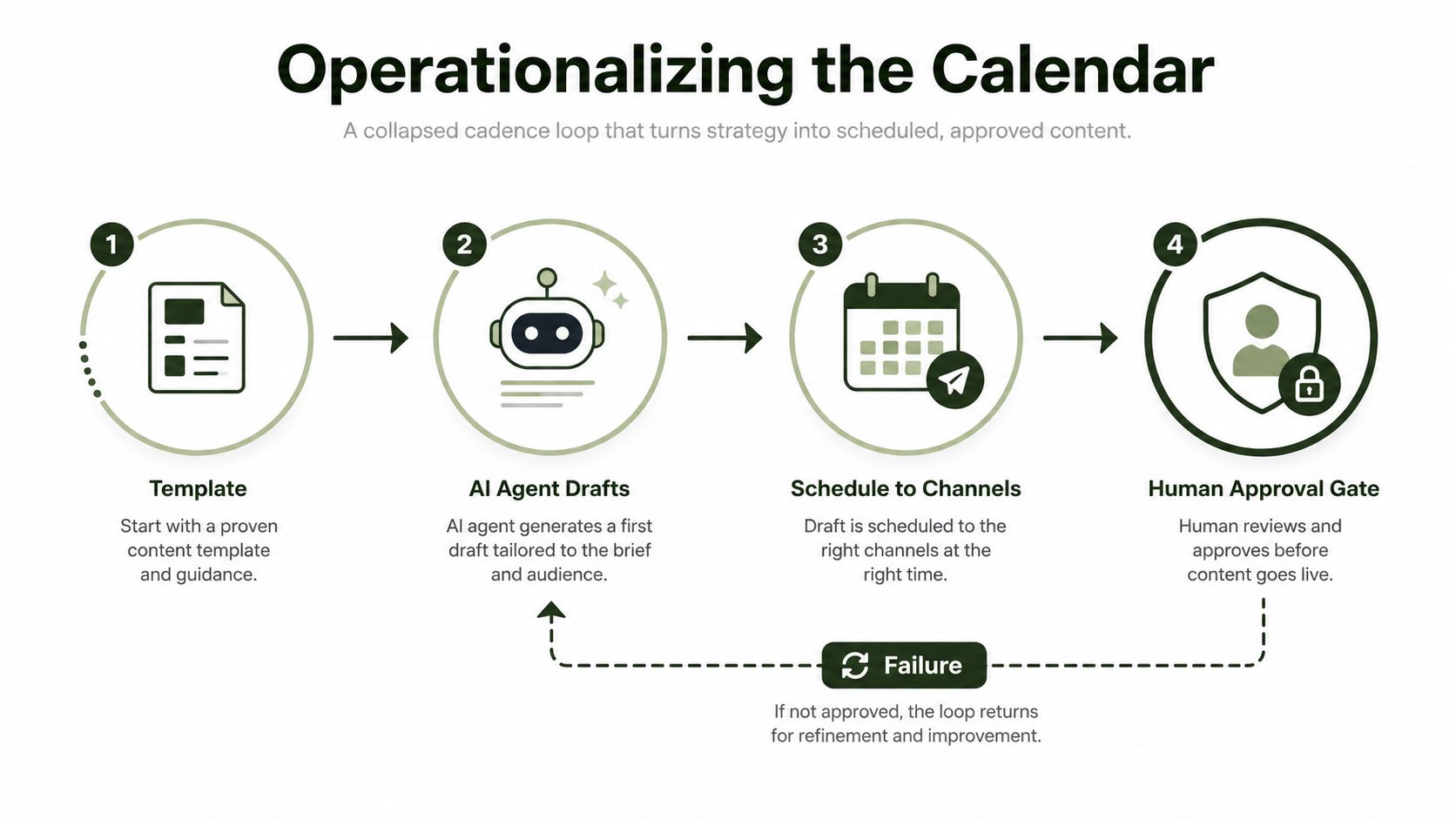
A practical sequence starts with a theme brief in the workspace. The agent produces a Monday LinkedIn draft, a Wednesday Instagram draft, and a Friday TikTok draft, each formatted for its channel. It parks those drafts in the queue for Tuesday and Thursday review slots, then sends approved posts to the publisher only after a person signs off.
The human role remains important. Brand voice edits, crisis-sensitive replies, legal or reputational judgments, and posts tied to live events need direct review. AI can execute the repetitive path from brief to draft to schedule, but approval should remain explicit. Teams comparing workflow approaches can also consult the 925 studios blog for practical agency and production perspectives.
Crowbert is one example of this model. Its autonomous AI agent can coordinate drafting, channel-aware formatting, scheduling, publishing, engagement workflows, and analytics while keeping human approval in control. Teams can also compare the operating cost of a unified workflow through the Crowbert pricing page, rather than evaluating a calendar as an isolated spreadsheet.
Frequently Asked Questions
How long does initial setup take?
Setup depends on the number of channels, existing brand guidance, approval roles, and calendar fields. Start with the active channels, recurring themes, owners, approval states, and measurement rules. A smaller first version is easier to validate than a complex template nobody adopts.
What's the smallest team that benefits?
A solo founder benefits when the calendar removes repeated drafting, formatting, and scheduling decisions. A small in-house team benefits when ownership and approval are unclear. Agencies benefit when one workflow needs to separate client review from production without relying on long message threads.
What should we do when a channel underperforms mid-month?
Don't wait for the month to end. Move the channel into the next rolling review, inspect performance by format, topic, timing, and audience, then choose whether to hold, rotate, retire, or repurpose. Keep the business objective stable while changing the execution variable you're testing.
How can we repurpose one idea without sounding copied?
Keep the core insight, then change the entry point, proof, length, visual treatment, and call to action for each platform. A LinkedIn explanation can become an Instagram carousel, a TikTok demonstration, or a concise X conversation starter. The idea travels, but the post shouldn't read like a pasted export.
Which metrics justify the planning time?
Choose metrics that match the post objective. Use reach for distribution, meaningful replies and shares for conversation, watch time for video attention, clicks for traffic, and conversions for business action. If a metric doesn't influence what you'll publish, reschedule, or retire next, it probably doesn't belong in the core review.
Crowbert helps teams turn a content calendar for social media into an execution system, with AI-generated drafts, channel-aware scheduling, analytics, and a human approval gate before anything goes live. Visit Crowbert to see how your team can move from scattered briefs and rigid grids to a rolling calendar that drafts, schedules, and adapts with control.
About the Author
The team behind Crowbert building AI-powered marketing tools that help businesses of all sizes create professional campaigns, manage social presence, and drive real results.