10 Content Ideas for Social Media in 2026
Explore 10 actionable content ideas for social media with examples, prompts, formats, repurposing tips, and scheduling guidance for lean teams.
Most brands don't need more isolated post ideas. They need repeatable formats that can teach, build trust, invite participation, create reach, prove value, and respond to timely conversations without exhausting the team. That matters because social audiences are now distributed across channels. In 2025, 65.7% of the world's population were active social media users, and the average user visited or used 6.84 platforms each month, according to Sprinklr's social media statistics.
Format choice also changes the job a post can perform. Benchmark data covering more than 3 billion messages from over 1 million public social profiles recorded average engagement of 5.0% on TikTok, 3.6% on Instagram, and 3.4% on YouTube, while average video views reached 209.7K on TikTok, 289.5K on Instagram, and 97.6K on YouTube in the reported dataset (Dash Social benchmarks).
The practical system is simple: choose an idea by its job, adapt the hook and format to the platform, turn one brief into several assets, and schedule the work through approval. Crowbert's social media features support that workflow through an autonomous AI agent that can create, format, schedule, publish, manage engagement, and report across channels, while keeping human approval in control.
Table of Contents
1. Educational Series and How-To Content
Educational content earns attention by solving a specific problem. A series makes that usefulness repeatable. Instead of publishing one generic tip about accounting, skincare, logistics, or software, build a sequence around a task your audience wants to complete.
A useful brief might read: “Help independent retailers understand inventory planning.” The prompt can ask for a clear explanation, one practical example, one common mistake, and a next step. On Instagram, turn the answer into a carousel. On LinkedIn, make it a text post or document sequence. On TikTok and YouTube, record a direct-to-camera lesson with on-screen steps.
Give every episode one job
Avoid packing several lessons into one post. Each episode should answer one question, remove one obstacle, or demonstrate one process. A tutorial about onboarding can become separate episodes on preparation, setup, training, troubleshooting, and measurement.
A long-form lesson can become short clips, quote graphics, a checklist, and a follow-up question. Crowbert's Creative Studio can help produce consistent visuals and thumbnails, while the content calendar can hold the series together so publication doesn't depend on memory.
The scheduling action is to approve the full sequence before the first episode goes live. That gives the team a stable cadence and creates an obvious repurposing path. Review saves, completion behavior, comments, and qualified clicks by topic, then develop the subjects that attract useful attention rather than merely filling the feed.
2. Behind-the-Scenes and Process Content
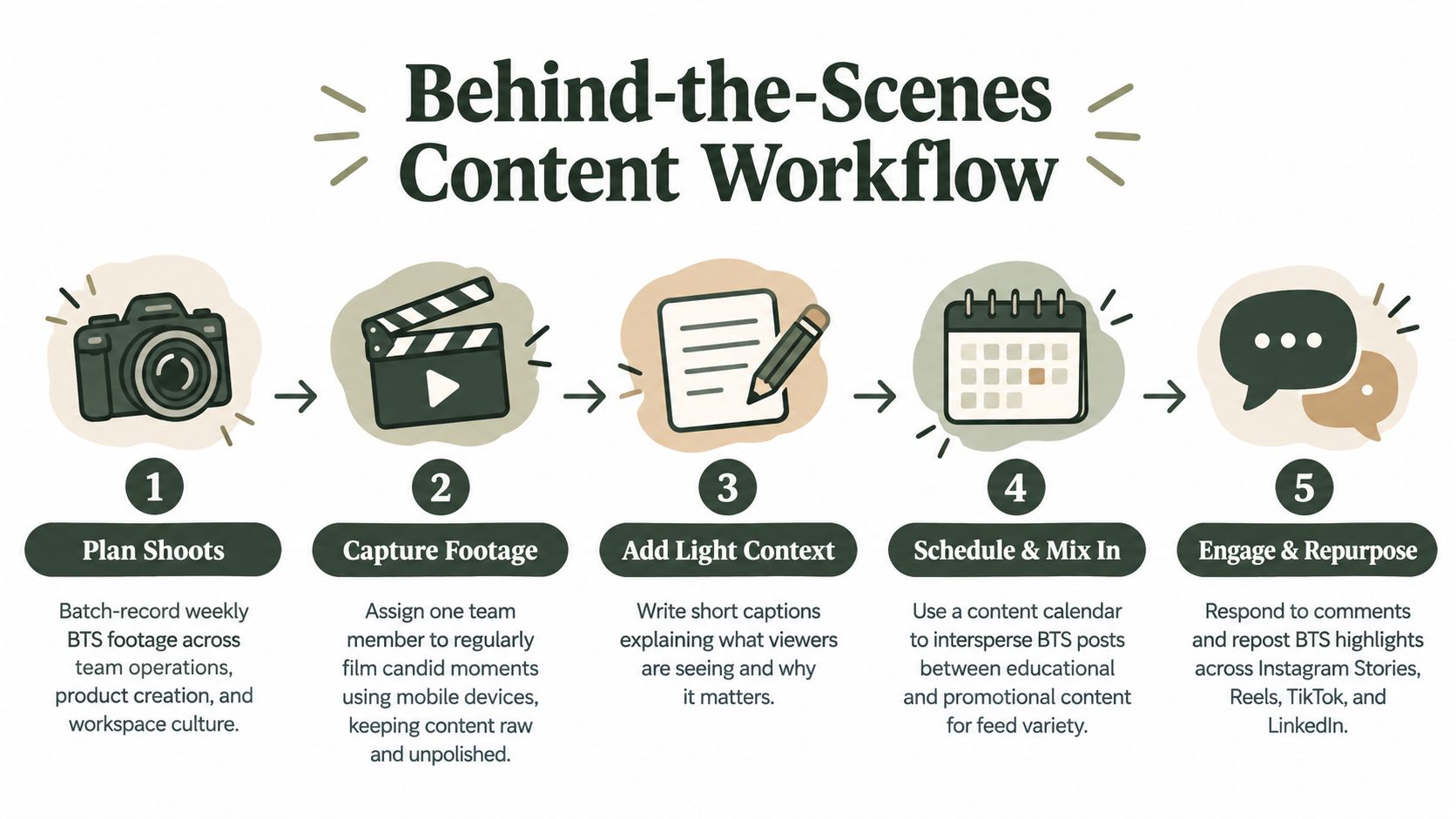
Polished brand content explains what you want people to see. Behind-the-scenes content shows how the work happens. A bakery can film recipe testing, a consultancy can show how it prepares a client workshop, and a software company can document the path from user request to released feature.
The prompt should preserve context: “Show the process behind preparing a customer delivery, explain why each step matters, and end with what customers receive.” That framing prevents random office footage from becoming content without a point. Instagram Stories can carry quick clips, TikTok can use a narrated sequence, and LinkedIn can focus on the decision or lesson behind the process.
Authenticity doesn't mean publishing carelessly. Remove confidential information, personal details, unfinished claims, and anything a customer hasn't approved. The strongest footage often has imperfect edges, but it still needs a clear caption that tells viewers what they're seeing and why it matters.
Build a capture habit
Assign ownership to a person who can record regularly without waiting for an executive. Batch footage during a weekly production session, then save clips by theme, product, team, or milestone. Crowbert's Creative Studio software can support the visual treatment, while the calendar can place process posts between promotional and educational updates.
A practical repurposing path is one process capture into a short video, a photo sequence, a team quote, and a written lesson. Schedule the raw version for a visual channel and the operational insight for LinkedIn. Review replies for questions that can become future tutorials.
3. User-Generated Content Campaigns and Reshares
User-generated content gives customers a visible role in the brand story. It can be a product demonstration, an implementation story, a community photograph, or a creator's honest explanation of how they use a service. The format is especially useful when a small team needs more varied creative without producing every asset internally.
Start with a narrow invitation. “Show how you prepare your workspace before a Monday planning session” is easier to act on than “Share your experience.” Provide a memorable campaign tag, explain acceptable formats, state whether submissions may be reshared, and request permission before publication. A customer's name and account tag make the reshare feel like recognition rather than extraction.
Design the reshare loop
A good campaign has three stages:
- Invite participation: Give people a concrete prompt tied to a real use case.
- Select responsibly: Check permissions, context, quality, and relevance before reposting.
- Reward contribution: Credit the creator, respond to their post, and make future participation worthwhile.
Instagram may favor visual submissions, TikTok can support demonstrations and reactions, YouTube can host fuller customer stories, and LinkedIn can surface professional use cases. The same submission shouldn't be copied unchanged everywhere. Crop and caption it for the channel, while preserving the creator's voice.
Use this Instagram engagement guide when building the participation and reply workflow. Crowbert's engagement management can help surface mentions and route responses for approval. A reshare can also lead to influencer short form ads, but only when the creator's style and audience fit the brand.
Schedule a recurring reshare slot, then review which prompts produce useful submissions. Don't judge the campaign only by volume. Relevance, permission, and the quality of the customer story matter more than a crowded hashtag.
4. Trending Sound and Format Remixes
A trend is useful only when it gives your brand a natural way to say something relevant. Copying a popular sound without a clear connection produces content that may look current but says nothing. A better prompt is: “Use this format to show the customer problem our product solves, without forcing the trend into a sales pitch.”
TikTok, Instagram Reels, and YouTube Shorts are the natural starting points. X and Threads can carry the joke, observation, or text adaptation when the trend has a conversational element. A restaurant might use a familiar reaction format to show a kitchen mistake. A business software company might adapt a workplace meme to explain a common reporting problem.
Use speed with boundaries
Assign trend monitoring to a person or to Crowbert's autonomous AI agent, but require a relevance and risk check before production. Trends can expire quickly, and some carry cultural or legal context that a brand shouldn't borrow casually.
Prepare reusable footage in advance: product close-ups, reactions, demonstrations, packaging, team members, and clean background shots. Then the team can adapt the edit rather than start from zero. Crowbert's Creative Studio can help create captions and supporting graphics, while a quick approval path lets a timely draft move through review without removing human control.
The repurposing path is usually horizontal, not identical: produce the original Reel, create a TikTok version with a different opening line, and turn the underlying observation into a short text post. Schedule evergreen content alongside trend remixes so the calendar doesn't depend on constant reaction. Archive the strongest concepts by format and audience response, not just by audio name.
5. Q&A, Polls, and Interactive Storytelling
Interactive posts turn the audience from a viewing group into a source of decisions, questions, and language. A poll can test which product feature deserves a tutorial. A question sticker can reveal the terms customers use when describing a problem. A branching Story can let followers choose what the brand explains next.
Use prompts that are easy to answer. “Which task takes longer, reporting or approval?” will usually create a clearer response than “What do you think about marketing?” Binary choices, short options, and specific scenarios reduce the effort required to participate.
Close the feedback loop
The initial question is only the first asset. Publish the result, explain what you learned, and show what happens next. If followers choose a topic for a tutorial, make that tutorial. If a product preference poll reveals confusion, answer the underlying question in a follow-up video.
Instagram Stories are well suited to quick polls and question stickers. TikTok can use comments as prompts for response videos. LinkedIn can support professional opinion polls, while X can host fast reactions and threaded discussion. The platform changes the presentation, but the core idea remains the same: ask, listen, respond.
Schedule interactive content when the team can monitor replies. Crowbert can batch drafts, coordinate publication, and surface engagement notifications for prompt human responses. Build three prompt types into the calendar:
- Preference prompts: Ask audiences to choose between relevant options.
- Experience prompts: Ask what people have tried or where they get stuck.
- Decision prompts: Ask which topic, feature, or example should come next.
The useful outcome isn't merely a higher interaction count. It's a clearer content brief for the next post and a visible demonstration that the brand pays attention.
6. Carousel Posts and Swipeable Story Sequences
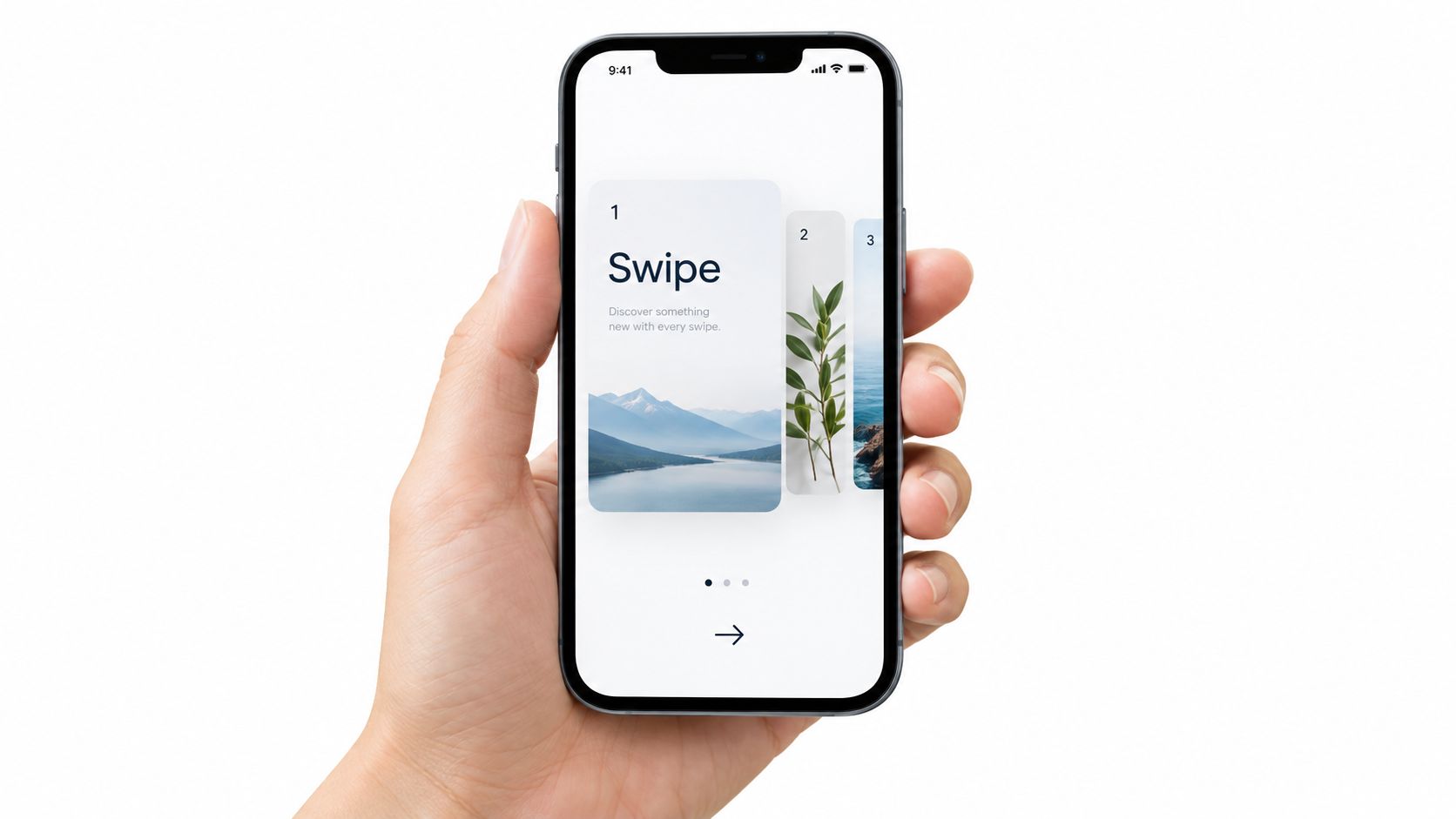
Carousels are useful when the message has an order. They can present a comparison, a process, a customer journey, a list of mistakes, or an argument that becomes clearer slide by slide. The first slide must create a reason to continue. “Five reporting mistakes that hide useful signals” is stronger than “Reporting tips.”
Write the carousel before designing it. Give each slide one idea, keep the language scannable, and make the final slide perform a clear action. That action might be saving the post, commenting with a question, visiting a guide, or requesting a demonstration.
Adapt the sequence by platform
An Instagram carousel can emphasize visual rhythm and concise explanations. A LinkedIn document can use a more analytical structure. Facebook may need a stronger caption because the image sequence is often consumed in a different feed context. For layout guidance, use this LinkedIn carousel size guide.
A single brief can produce a carousel, a narrated short video, a text thread, and a blog section. Keep the argument consistent, but rewrite the opening for each channel. The video should lead with the tension. The LinkedIn version can lead with the business implication. The caption can ask readers which step they find hardest.
Crowbert's Creative Studio can generate reusable design templates, and channel-aware formatting can reduce manual resizing and rewriting. Schedule the first version, then use performance data to decide whether the topic deserves a follow-up sequence. Don't assume more slides are better. Add a slide only when it advances the story.
7. User Testimonials and Case Study Content
Testimonials work best when they describe a recognizable situation, not when they praise the company. A strong customer story begins with the problem, shows the decision, explains the working experience, and finishes with a result the audience can understand. Keep customer claims accurate and obtain approval for every published detail.
The prompt can be: “Turn this customer interview into a short story for operations leaders. Lead with the former workflow, explain the change, include the approved customer wording, and end with the lesson for similar teams.” That brief can become a video, a carousel, a written post, and a landing-page excerpt.
Make proof easy to consume
For B2B, LinkedIn can carry a concise narrative with a practical lesson. YouTube can host the fuller interview. For consumer brands, Reels and TikTok can show the product in use, with the customer's voice doing most of the selling. Avoid polishing the story until it sounds like an advertisement. The audience needs enough detail to recognize themselves in it.
A single interview can produce:
- A customer video: Keep the answer focused on one problem and one outcome.
- A carousel: Separate the starting point, change, and lesson across slides.
- A written post: Pull out the operational insight rather than repeating the video.
- A conversion asset: Link the story to a relevant page such as Crowbert's solutions for agencies.
Schedule a cluster around a launch or customer milestone, then refresh the strongest stories later with a new angle. Crowbert can help organize drafts, approvals, channel-specific versions, and analytics. The human owner should still verify names, permissions, quotations, and every customer result before publishing.
8. Thought Leadership and Commentary Content
Thought leadership gives your audience a reason to follow your judgment, not just your product updates. The raw material can come from an industry change, a recurring customer problem, a disputed assumption, or a pattern noticed across projects. The value lies in the interpretation and the practical consequence.
A useful prompt is: “Take this industry development and explain what it changes for small marketing teams. State the common assumption, challenge it with evidence, give one example, and end with a decision readers can make this week.”
Turn an opinion into a useful post
LinkedIn and X are strong homes for commentary because readers can respond directly to the argument. A post should make its position clear early, then support it with a specific observation or source. Avoid manufactured controversy. “Why more content isn't always a better system” can create discussion without attacking a person or organization.
Thought leadership also needs a repurposing path. A strong post can become a LinkedIn article, a short video script, a team discussion prompt, or a newsletter section. Keep the central position stable, but adapt the depth and vocabulary to the platform.
Crowbert's autonomous AI agent can draft an initial version from a source note, while the subject-matter owner adds the experience and judgment that make the post distinctive. Route the draft through human review before scheduling. Use replies as research for the next commentary, but don't turn every disagreement into another post.
Schedule timely opinions close to the relevant conversation, then keep evergreen analysis in the calendar for balance. Measure the quality of discussion and qualified responses, not just surface activity.
9. Reels, TikToks, and Short-Form Video Series
Short-form video has become central to social planning. HubSpot's 2026 marketing statistics report that 60% of marketers used short-form video in 2025, compared with 38% for long-form video and 38% for blog posts, with blog posts still appearing among the highest-ROI formats (HubSpot marketing statistics).
The format works best when every second earns its place. Open with the problem, result, surprising statement, or visual demonstration. Then deliver one useful idea and finish with a clear next action. A product tutorial, founder explanation, customer reaction, quick comparison, or process clip can all become a series when the structure stays consistent.
Create once, adapt with intent
Batch filming reduces setup time, but don't publish near-identical edits everywhere. TikTok may need a conversational opening and comment prompt. Instagram Reels can emphasize visual clarity and saves. YouTube Shorts can use a more searchable title and a direct route to deeper content.
Use this guide to creating short videos for the production workflow, then build a brief with the audience, goal, hook, spoken script, on-screen text, caption, CTA, and repurposing path. Crowbert's Creative Studio can help prepare overlays and captions, while channel-aware formatting supports multiple versions.
The scheduling action is to test a small group of related concepts rather than one isolated video. Compare different openings and explanations, then retain the structure that attracts meaningful completion and conversation. A short video can also become a transcript post, a carousel, a quote graphic, or a longer lesson. Teams looking for additional production options can browse AI music video generators, while still reviewing rights and brand suitability before publication.
10. Curated News and Industry Round-Ups
A useful round-up is not a list of links. It's a filter. Your audience should understand why each item matters, what it changes, and which details deserve attention. A weekly marketing digest, product update summary, research briefing, or sector news post can become a habit when the publishing day and editorial standard remain consistent.
Use a prompt such as: “Select the most relevant developments for early-stage founders, summarize each in plain language, explain the practical implication, and identify one action to consider.” Add your point of view to every item. If you can't explain why a link belongs, leave it out.
Make curation defensible
Verify the original source, distinguish reporting from opinion, and avoid repeating unsupported claims. A round-up can work as a LinkedIn post, X thread, newsletter, blog article, or short video. The format should change with the channel. LinkedIn may need a concise business implication, while a newsletter can carry more context.
The repurposing path is straightforward: one editorial digest becomes a social announcement, a short summary video, a text thread, and a follow-up discussion question. Crowbert's autonomous AI agent can help scan approved sources, organize draft items, format each version, and place the package in the calendar. The editor remains responsible for selection, accuracy, tone, and approval.
Use this content distribution guide to connect the round-up to the channels where your audience already spends time. Schedule it on a dependable day, then review which themes create informed replies, clicks, or sales conversations. Consistency builds recognition, but editorial judgment keeps the format worth returning to.
10 Social Media Content Ideas Comparison
| Content Type | Implementation Complexity | Resource Requirements | Expected Outcomes | Ideal Use Cases | Key Advantages |
|---|---|---|---|---|---|
| Educational Series and How-To Content | Medium–High (episodic planning & scripting) | Moderate, research, scripting, editing | Builds authority; sustained engagement; evergreen traffic | Skill training, onboarding, deep tutorials | Trust-building; high saves; highly repurposable |
| Behind-the-Scenes and Process Content | Low (casual capture; minimal editing) | Low, mobile capture, light editing | Humanizes brand; stronger loyalty and engagement | Culture, product development, team highlights | Low cost; authentic connection; scalable |
| User-Generated Content Campaigns and Reshares | Medium (campaign setup, moderation) | Low–Medium, promotion, aggregation, legal | Expanded reach; strong social proof; variable quality | Community-driven launches, awareness campaigns | Reduces production; boosts credibility and reach |
| Trending Sound and Format Remixes | Low–Medium (fast turnaround critical) | Low, trend monitoring, quick editing | Rapid visibility spikes; viral potential | Timely engagement, follower growth, awareness | Algorithmic boost; culturally relevant; fast wins |
| Q&A, Polls, and Interactive Storytelling | Low (simple tools; consistent follow-up) | Low, polling tools, moderation time | Very high engagement; first‑party audience insights | Feedback, product validation, community building | Generates actionable data; drives conversation |
| Carousel Posts and Swipeable Story Sequences | Medium (design + sequencing effort) | Medium, graphic design, concise copy | Longer time-on-post; deeper storytelling | Tutorials, comparisons, listicles, guides | Improves reach; clear information pacing |
| User Testimonials and Case Study Content | Medium–High (coordination & production) | Medium, interviews, editing, permissions | Strong credibility; conversion lift | B2B proof points, sales enablement, trust-building | Persuasive social proof; measurable outcomes |
| Thought Leadership and Commentary Content | High (research, polished writing) | Medium, author time, editing, sourcing | Authority, high-quality discussion, opportunities | Industry insight, PR, partnerships, hiring | Positions as expert; drives influence and trust |
| Reels, TikToks, and Short-Form Video Series | Medium (consistent fast production) | Medium, filming, editing, trend tools | Highest engagement; strong follower growth | Brand awareness, viral campaigns, youth audiences | Maximum reach; mobile-native; highly shareable |
| Curated News and Industry Round-Ups | Medium (recurring curation cadence) | Low–Medium, research, brief commentary | Habit-forming readership; perceived authority | Newsletters, weekly digests, LinkedIn threads | Efficient to produce; trusted filter for audience |
Turn the Strongest Ideas Into a Working Calendar
A working calendar doesn't need every possible format. Start with four jobs: reach, trust, participation, and conversion. Choose one idea for each job, then assign the right platform and production level.
For reach, use a short-form series or a relevant trend remix. For trust, choose an educational sequence, behind-the-scenes process, or customer story. For participation, use a poll, Q&A, or UGC prompt. For conversion, use a testimonial, case study, product demonstration, or carefully framed offer. This mix prevents the calendar from becoming a stream of promotion or a collection of disconnected experiments.
Create one reusable brief for every post. Include:
- Audience: Who needs this message now?
- Goal: Is the post building reach, trust, participation, or conversion?
- Platform: Where will the audience encounter it?
- Hook: What creates a reason to stop?
- Prompt or caption: What should the post say and ask?
- Media format: Is it a video, carousel, image, text post, Story, or thread?
- CTA: What should the viewer do next?
- Approval owner: Who checks facts, permissions, tone, and brand fit?
- Repurposing path: Which additional assets can come from the same brief?
Run a small test batch before scaling. Schedule the first versions, allow enough time for replies, and compare performance against the job assigned to each post. Reach content should be judged differently from conversion content. A poll may generate valuable audience language even if it doesn't produce immediate sales. A case study may receive fewer public interactions but drive better-qualified conversations.
Crowbert can centralize the workflow through its autonomous AI agent. The system can turn a brief into copy and creative, adapt captions and media for different channels, route drafts for approval, schedule and publish approved posts, support engagement replies, and produce performance snapshots. Its human-in-the-loop publishing safeguard means content doesn't ship without explicit approval. Teams can review the full feature set, examine pricing options, or evaluate the workflow for an agency environment through agency solutions.
The operating principle is simple: don't ask your team to invent from scratch every day. Give them repeatable jobs, clear briefs, reusable templates, channel-aware versions, and a review process that protects quality. Scale the formats that produce the right business signal, not merely the posts that are easiest to publish.
Frequently Asked Questions
How should I choose a platform for each content idea?
Start with audience intent and the format the idea requires. Use short-form video for discovery and interaction, visual sequences for step-by-step education, professional commentary for LinkedIn, and deeper viewing journeys for YouTube. Don't publish the same asset everywhere without changing its hook, caption, pacing, and CTA.
How can a small team create enough content with limited resources?
Choose formats that produce multiple assets from one brief. A customer interview can become a video, carousel, quote post, and written story. A weekly capture session can create several behind-the-scenes posts. Crowbert can help generate channel-aware creative and manage the calendar, while a human approves the final work.
What's the best way to repurpose a social media post?
Repurpose the underlying idea, not just the file. Turn a video lesson into a carousel, a text explanation, a short clip, and a follow-up question. Rewrite the opening for each platform and change the CTA to match the audience's intent.
How often should I schedule different content types?
Choose a cadence your team can sustain and keep the recurring formats predictable. A small, consistent test batch is more useful than an ambitious calendar that collapses after a short period. Review performance by goal, then increase the formats that produce meaningful reach, responses, leads, or sales conversations.
Does an autonomous AI agent publish without approval?
Crowbert is designed with human-in-the-loop publishing. Its autonomous AI agent can execute creation, formatting, scheduling, publishing preparation, engagement, and reporting end to end, but content doesn't ship without explicit human approval.
Crowbert gives teams an autonomous AI agent for creating, adapting, scheduling, publishing, engaging, and reporting on social content across major channels, with human approval kept in control. Turn these content ideas for social media into a repeatable workflow by visiting Crowbert and exploring the platform.
About the Author
The team behind Crowbert building AI-powered marketing tools that help businesses of all sizes create professional campaigns, manage social presence, and drive real results.